Chrome extension
Polymarket opens a new Up or Down market on BTC, ETH, SOL and XRP every five minutes. This extension puts the call for the running one right where you trade — plus the money flowing in, and the pressure building against it.
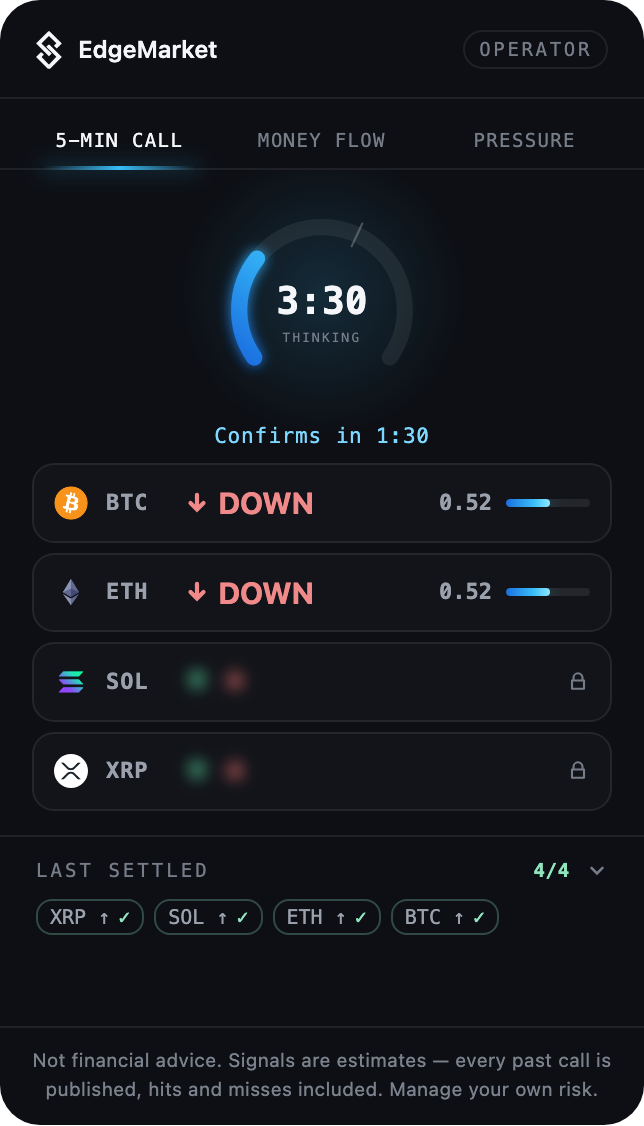
Three views
What the panel shows
The 5-minute call
One direction per market, issued before the window opens, with a confidence figure. The gauge counts down to the next slot — and the bright arc stops at three minutes, which is exactly when the call stops moving. Below it, the last fully settled slot: what was announced, what happened, and whether it landed.
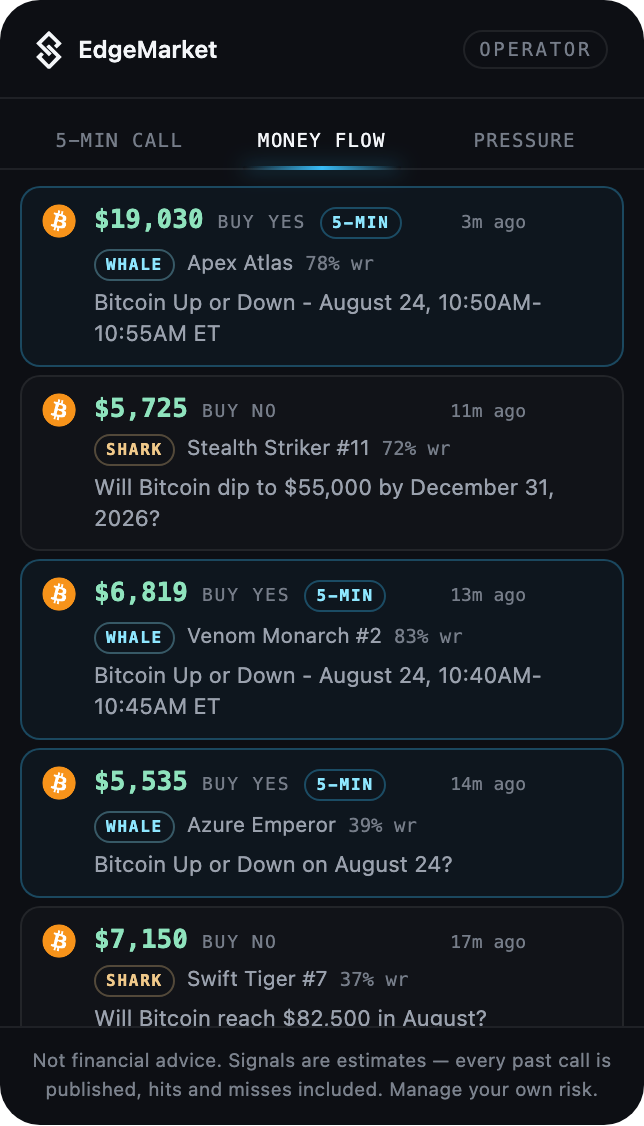
The money flow
Large crypto positions as they land, with who took them — whale, shark or fish — and their measured win rate. Positions taken on the 5-minute markets carry a flag, so you see our call and the money arriving on the same slot. That pairing exists nowhere else, not even on the dashboard.
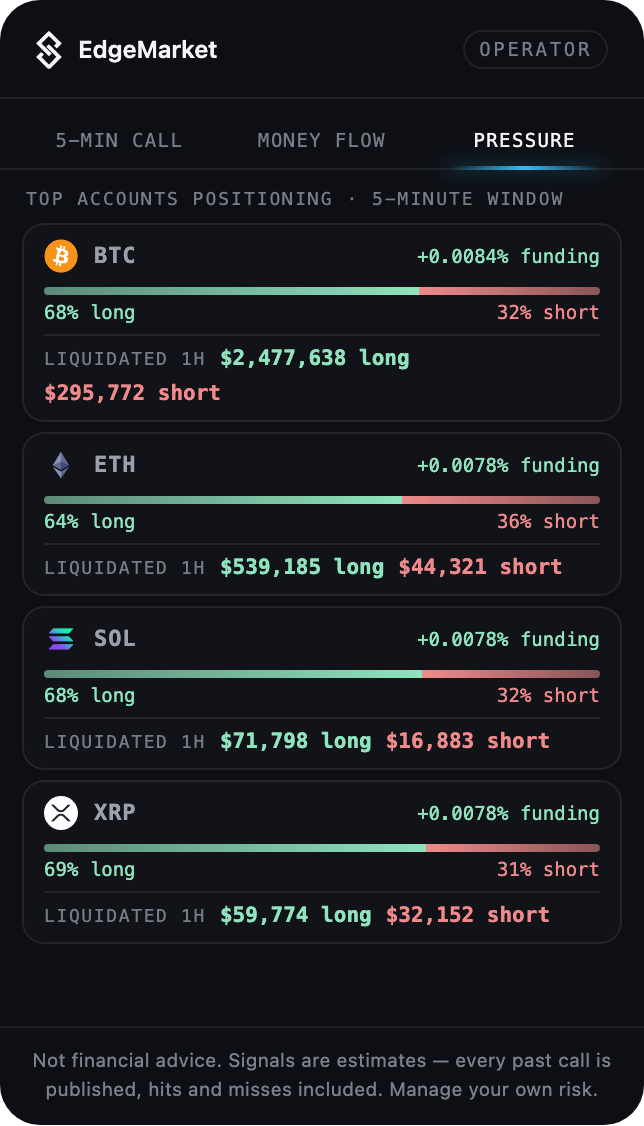
The pressure
How the biggest accounts are positioned on the five-minute window, funding averaged across four venues, and what was liquidated in the last hour. It is the view that explains why a slot can go wrong — and it uses the positioning of large accounts, not of the crowd, because on five minutes it is the large accounts that move the price.
Free and paid
What you get without an account
The last fully settled slot in full — the direction announced before the window and the outcome after it — the countdown, the market pressure, and a sample of the money flow. No sign-up, no wallet connection. Open the same five minutes on any chart and check it yourself.
What a subscription adds
The call for the slot that is still open, which is the only part worth anything before it resolves. Operator covers BTC and ETH; Principal covers all four. The full money flow, with wallet addresses you can copy and follow elsewhere.
Setting it up
Two minutes, once
- 1
Install the extension, then open any Polymarket page. The panel appears at the bottom right — free view, nothing to configure.
- 2
For the live call, open your dashboard, create a widget token, and paste it into the extension. The panel unlocks the markets your plan covers.
- 3
Click the extension icon anywhere to see the same panel outside Polymarket, or pin it onto the page you are on.
The panel follows your browser language, in the same thirteen languages as this site.
What it does not do
No trading, no keys, no funds
Nothing is traded on your behalf. No exchange API key is asked for, no wallet is connected, no funds are ever held. You get a direction and a confidence figure; the order is yours to place or not.
It also never reads or modifies the Polymarket page. The panel is added on top and lives on its own — which is why their redesigns cannot break it.
Not financial advice. Signals are estimates — every past call is published, hits and misses included. Manage your own risk.